

Table of Contents
Introduction
Choosing the right laptop for school can be challenging, especially for students who also want strong gaming performance. A gaming laptop for school must balance power, portability, battery life, and affordability. Students need a laptop capable of running demanding applications like design software, programming tools, and modern games while still being lightweight enough to carry to class.
Modern gaming laptops come equipped with powerful GPUs, fast processors, high refresh-rate displays, and improved battery efficiency, making them suitable for both academic work and entertainment.
This guide explores the best gaming laptops for school, top brands, pricing options, where to buy them, and how they compare to business laptops.
Best Gaming Laptop for School
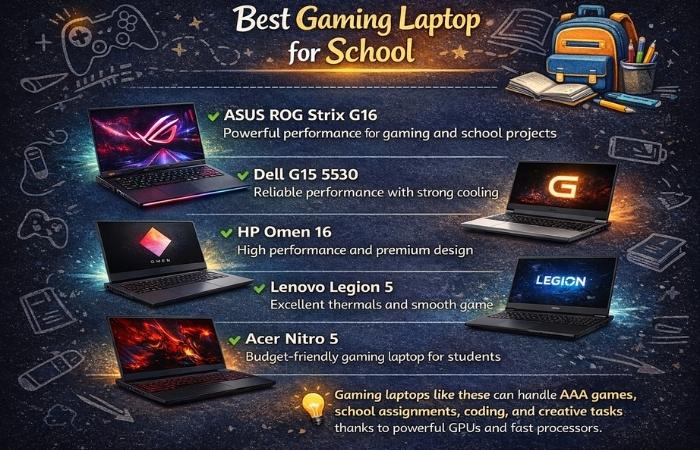
| Laptop Model | Processor | GPU | RAM | Storage | Display | Battery Life | Best For |
| ASUS ROG Zephyrus G14 | Ryzen 9 | RTX 4060 | 16GB | 1TB SSD | 14″ 165Hz | 10 hrs | Portability + Gaming |
| Dell G15 Gaming | Intel i7 | RTX 4050 | 16GB | 512GB SSD | 15.6″ 120Hz | 7 hrs | Budget Gaming |
| HP Omen 16 | Intel i7 | RTX 4060 | 16GB | 1TB SSD | 16.1″ 144Hz | 8 hrs | Performance |
| Lenovo Legion 5 | Ryzen 7 | RTX 4060 | 16GB | 1TB SSD | 15.6″ 165Hz | 8 hrs | Gaming + Productivity |
| Acer Nitro 5 | Intel i5 | RTX 3050 | 16GB | 512GB SSD | 15.6″ 144Hz | 6 hrs | Budget Students |
Best Gaming Laptop Brands
| Brand | Known For | Popular Series | Ideal For Students |
| ASUS | Premium gaming performance | ROG, TUF | Power + portability |
| Dell | Reliable builds | Alienware, G-Series | Long-term use |
| HP | Balanced performance | Omen, Victus | Design + gaming |
| Lenovo | Strong cooling systems | Legion | Gaming + productivity |
| Acer | Affordable gaming laptops | Nitro, Predator | Budget gamers |
| MSI | High-performance GPUs | Raider, Stealth | Hardcore gaming |
Best Gaming Laptop in the World
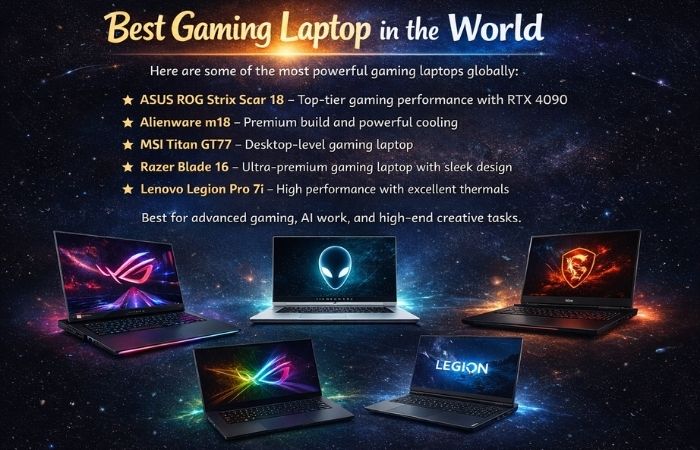
Here are some of the most powerful gaming laptops globally:
ASUS ROG Strix Scar 18 – Top-tier gaming performance with RTX 4090
Alienware m18 – Premium build and powerful cooling
MSI Titan GT77 – Desktop-level gaming laptop
Razer Blade 16 – Ultra-premium gaming laptop with sleek design
Lenovo Legion Pro 7i – High performance with excellent thermals
These laptops are best for advanced gaming, AI work, and high-end creative tasks.
Best Gaming Laptop for School with Long Battery Life
| Laptop | Battery Life | Processor | Weight | Key Feature |
| ASUS ROG Zephyrus G14 | 10 hrs | Ryzen 9 | 1.7 kg | Best portability |
| Razer Blade 14 | 9 hrs | Ryzen 9 | 1.8 kg | Premium design |
| Lenovo Legion Slim 7 | 9 hrs | Ryzen 7 | 1.9 kg | Thin gaming laptop |
| HP Victus 15 | 8 hrs | Intel i7 | 2.2 kg | Budget battery option |
| Dell G16 | 8 hrs | Intel i7 | 2.5 kg | Powerful hardware |
Best Business Series Laptop vs Gaming Laptop for School
| Feature | Business Laptop | Gaming Laptop |
| Performance | Moderate | High |
| Graphics | Integrated GPU | Dedicated GPU |
| Battery Life | Longer | Moderate |
| Weight | Lightweight | Slightly heavier |
| Price | Moderate | Higher |
| Best For | Office work, documents | Gaming, design, programming |
Prices of Gaming Laptops for Students
Gaming laptops for students are available in different price ranges depending on the processor, graphics card, RAM, and brand. In India, entry-level gaming laptops usually start around ₹50,000, while high-end models can exceed ₹2,00,000.
| Price Range | Laptop Category | Example Models | Key Features | Best For |
| ₹50,000 – ₹70,000 | Budget Gaming Laptop | Acer Aspire 7, Lenovo IdeaPad Gaming 3 | GTX/RTX entry GPU, 8–16GB RAM | Casual gaming + school work |
| ₹70,000 – ₹90,000 | Mid-Range Gaming Laptop | HP Victus, Acer Nitro V | RTX 3050 / RTX 4050 GPUs, 16GB RAM | Gaming + coding + editing |
| ₹90,000 – ₹1,20,000 | Upper Mid-Range | ASUS TUF A16, Lenovo Legion 5 | RTX 4050 / RTX 4060, faster CPUs | Serious gaming + multitasking |
| ₹1,20,000 – ₹1,80,000 | Premium Gaming Laptop | HP Omen 16, ASUS ROG Strix | RTX 4060 / RTX 4070, 16–32GB RAM | Gaming + creative work |
| ₹1,80,000+ | High-End Gaming Laptop | MSI Titan, Razer Blade | RTX 4080 / RTX 4090 GPUs | Professional gaming & design |
Pros and Cons of Gaming Laptops for School
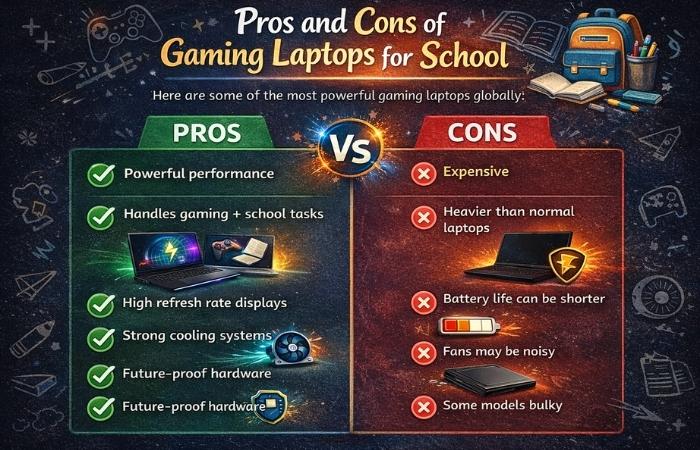
| Pros | Cons |
| Powerful performance | Expensive |
| Handles gaming + school tasks | Heavier than normal laptops |
| High refresh rate displays | Battery life can be shorter |
| Strong cooling systems | Fans may be noisy |
| Future-proof hardware | Some models bulky |
Conclusion
A gaming laptop for school is an excellent choice for students who need high performance for studies, creative work, and gaming. While they are typically more expensive than standard laptops, their powerful processors, dedicated GPUs, and advanced cooling systems make them versatile machines.
Students should consider battery life, weight, performance, and budget before buying. Models like ASUS ROG Zephyrus G14, Lenovo Legion 5, and Dell G15 offer an excellent balance between gaming power and academic usability.
Choosing the right laptop ensures students can study efficiently during the day and enjoy gaming during their free time.
FAQ
- Is a gaming laptop good for school?
Yes. Gaming laptops are powerful enough for coding, video editing, engineering software, and multitasking, making them suitable for students.
- What is the best gaming laptop for students?
Popular options include:
ASUS ROG Zephyrus G14
Lenovo Legion 5
Dell G15
HP Omen 16
- Are gaming laptops good for battery life?
Some modern models offer 8–10 hours of battery, but generally gaming laptops have shorter battery life than business laptops.
- What is the minimum RAM for a gaming laptop for school?
At least 16GB RAM is recommended for gaming and academic work.
- What GPU is best for student gaming laptops?
Good GPUs include:
RTX 3050
RTX 4050
RTX 4060
These provide strong gaming performance while remaining affordable.